christygirl
Well-known member
OK, So I have not posted any pics of my current tank....
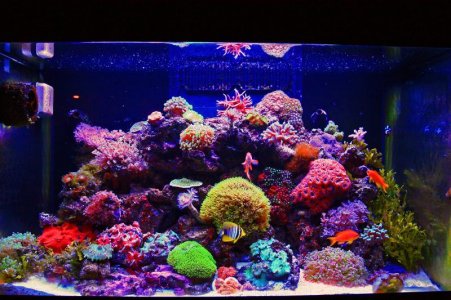
This is my RSM 250D. This tank has been up and running since Valentines Day.
I am getting ready to build my Leemar 90 and som of these pieces will end up in it.
The aquascape on this tank is going to change to a 2 pillar look with a little more swimming room.
The fish in this tank are as follows: (in stocking order)
1 Lawn mower blenny (my wife calls him Mr. Roper)
2 Stubby clowns (my wife calls them Hansel and Grettel)
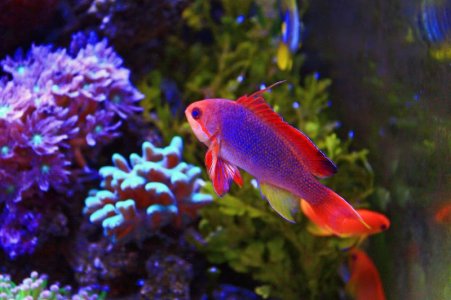
3 Lyretail Anthias (of course they are called Jack, Janet, and Chrissy)
and last of all,
1 Desjardin Tang. (Alcatraz!!!) He will go to the Leemar!
There are a few inverts in there....
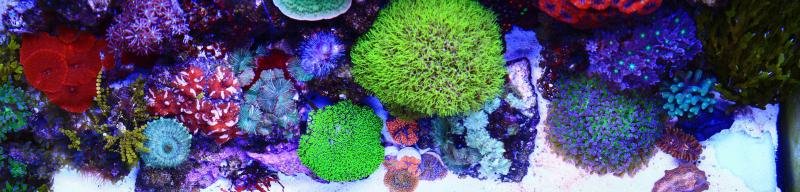
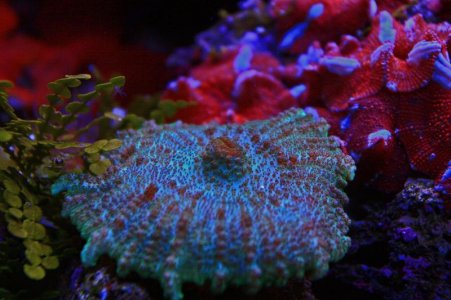
Coral: Too many to list, and, I don't know all of the names.....
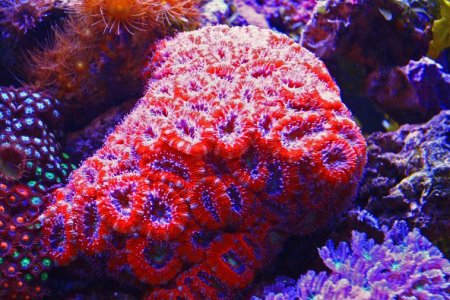
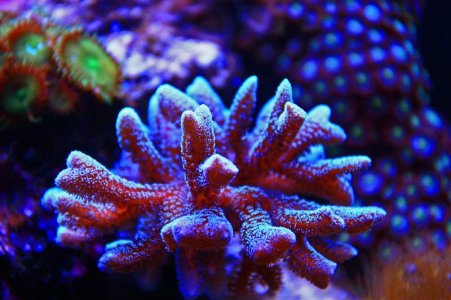
My favorites are the ACAN, The pulsing Xenia (I Know, a pest), The Ricordias, GSP, the 2 SPS, and the Duncans
Anyway, I thought I would share my tank.
This is my first tank in a long time. My very first minireef was in 1986 and I built the whole thing from a series of article in Aquarium. I built it in an old RCA TV Cabinet!
I have had several tanks since, but this is the first in about 6 years.
It is good to be back in the hobby....
I love the enjoyment I get from it.
I hate when I lose any animal.
Thanks for looking!
This is my RSM 250D. This tank has been up and running since Valentines Day.
I am getting ready to build my Leemar 90 and som of these pieces will end up in it.
The aquascape on this tank is going to change to a 2 pillar look with a little more swimming room.
The fish in this tank are as follows: (in stocking order)
1 Lawn mower blenny (my wife calls him Mr. Roper)
2 Stubby clowns (my wife calls them Hansel and Grettel)
3 Lyretail Anthias (of course they are called Jack, Janet, and Chrissy)
and last of all,
1 Desjardin Tang. (Alcatraz!!!) He will go to the Leemar!
There are a few inverts in there....
Coral: Too many to list, and, I don't know all of the names.....
My favorites are the ACAN, The pulsing Xenia (I Know, a pest), The Ricordias, GSP, the 2 SPS, and the Duncans
Anyway, I thought I would share my tank.
This is my first tank in a long time. My very first minireef was in 1986 and I built the whole thing from a series of article in Aquarium. I built it in an old RCA TV Cabinet!
I have had several tanks since, but this is the first in about 6 years.
It is good to be back in the hobby....
I love the enjoyment I get from it.
I hate when I lose any animal.
Thanks for looking!