Hi all,
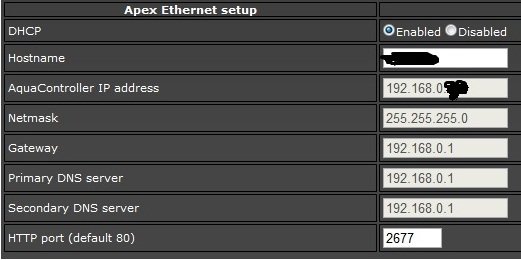
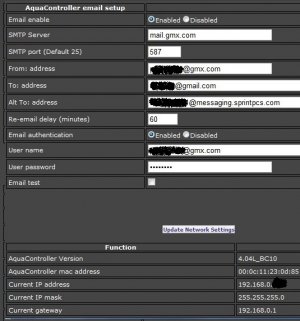
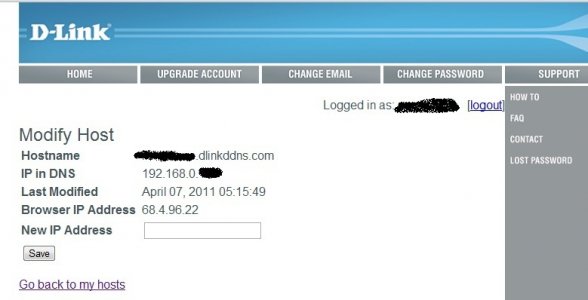
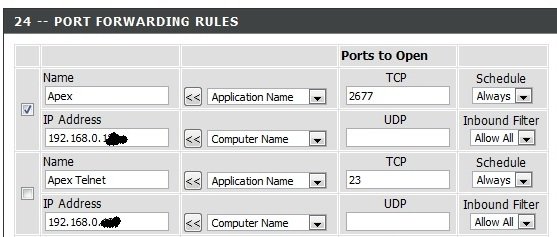
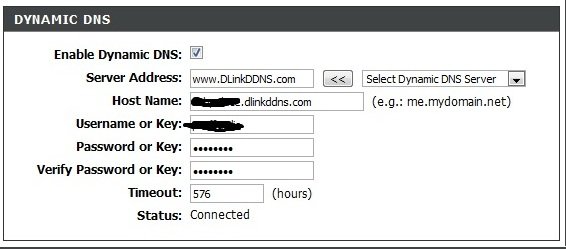
I've been able to successfully set up and configure my Apex for network and wireless access, as well as email and text alerts, but have been having problems with the accessing it via internet. I've got the port forwarding set up (not using port 80, a dlinkddns.com dynamic DNS registered, and have tried restarting both the router and Apex after making changes.
I've read a number of threads as well as the official and unofficial manual, but must be missing something.
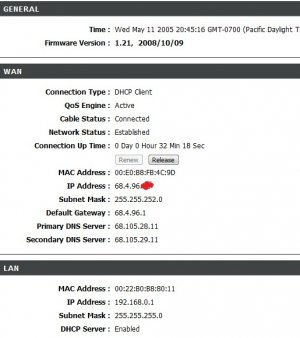
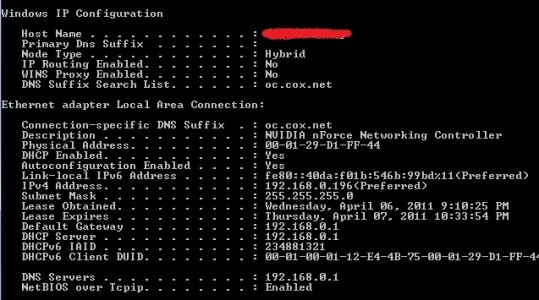
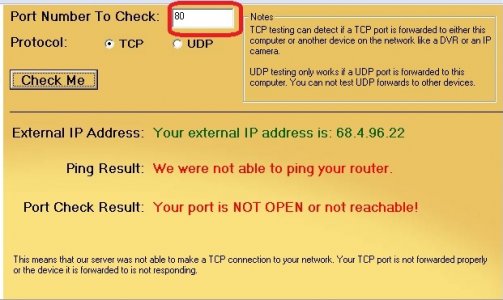
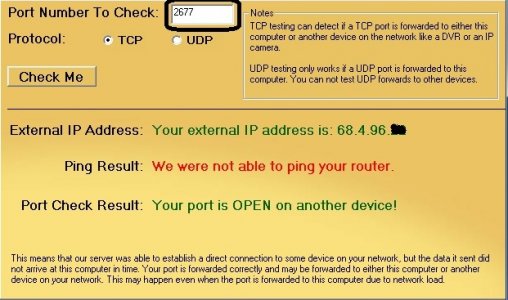
I've attached some screenshots of my setup and what not. Please let me know if there's anything else that might help. Thanks to Curt and the rest of you for helping out people such as myself.
Router Model: D-Link DIR-655
Router Firmware: 1.21
ISP: Cox Cable Modem
I've been able to successfully set up and configure my Apex for network and wireless access, as well as email and text alerts, but have been having problems with the accessing it via internet. I've got the port forwarding set up (not using port 80, a dlinkddns.com dynamic DNS registered, and have tried restarting both the router and Apex after making changes.
I've read a number of threads as well as the official and unofficial manual, but must be missing something.
I've attached some screenshots of my setup and what not. Please let me know if there's anything else that might help. Thanks to Curt and the rest of you for helping out people such as myself.
Router Model: D-Link DIR-655
Router Firmware: 1.21
ISP: Cox Cable Modem