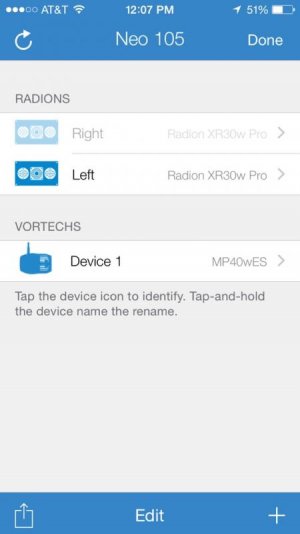
I have a pair of Radion Pro first generations.
Today while updating my firmware on the lights, my REEFLINK timed out and disconnected. The update on one of the fixtures had not yet completed.
I unplugged and restarted ReefLink, and the light which was updating won't turn on, fan won't rotate and the LED is flashing white and red. (The other fixture updated no problem). ESL won't allow me to reboot or factory default the lamp.
Please help me reboot this. I have a 13 inch clam directly below this dead fixture and NO backup light to use.
Any help would be greatly appreciated.
Today while updating my firmware on the lights, my REEFLINK timed out and disconnected. The update on one of the fixtures had not yet completed.
I unplugged and restarted ReefLink, and the light which was updating won't turn on, fan won't rotate and the LED is flashing white and red. (The other fixture updated no problem). ESL won't allow me to reboot or factory default the lamp.
Please help me reboot this. I have a 13 inch clam directly below this dead fixture and NO backup light to use.
Any help would be greatly appreciated.